How To Reset Your Password On 2J Bet

Situation 1: You Registered Using a Phone Number
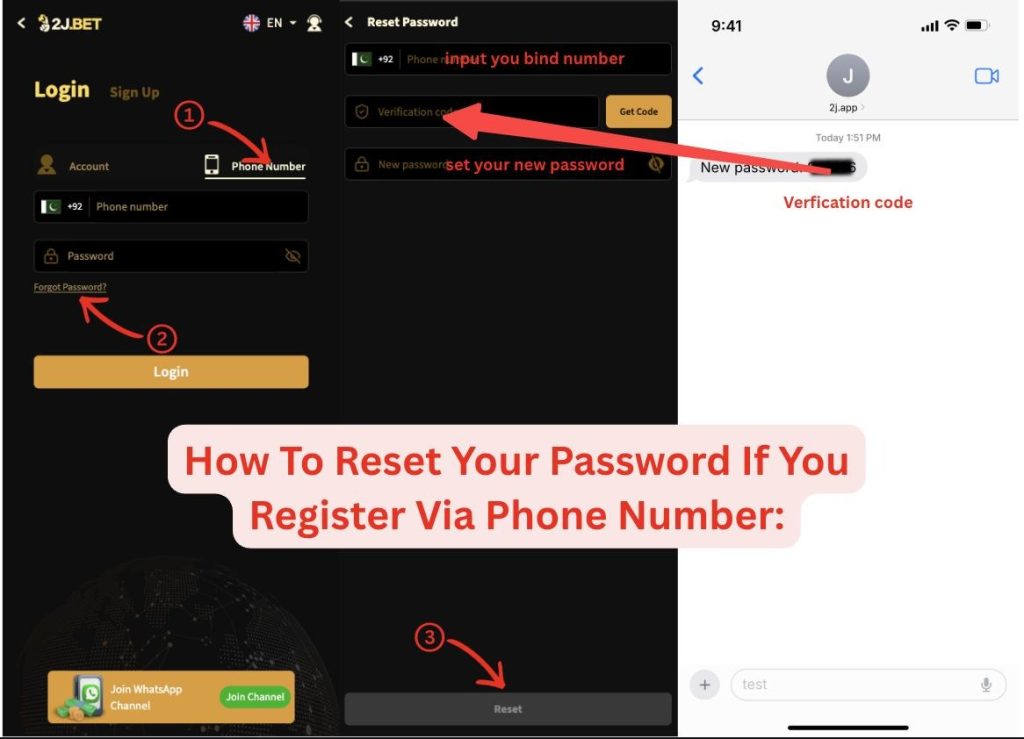
  • Open the 2J Bet.
  • On the login page, click “Phone Number”.
  • Click “Forgot Password?”.
  • Enter your registered phone number and click “Get Code”.
  • Receive the verification code via SMS.
  • Set a new password and log in to your account.

Situation 2: You Registered Using an Account
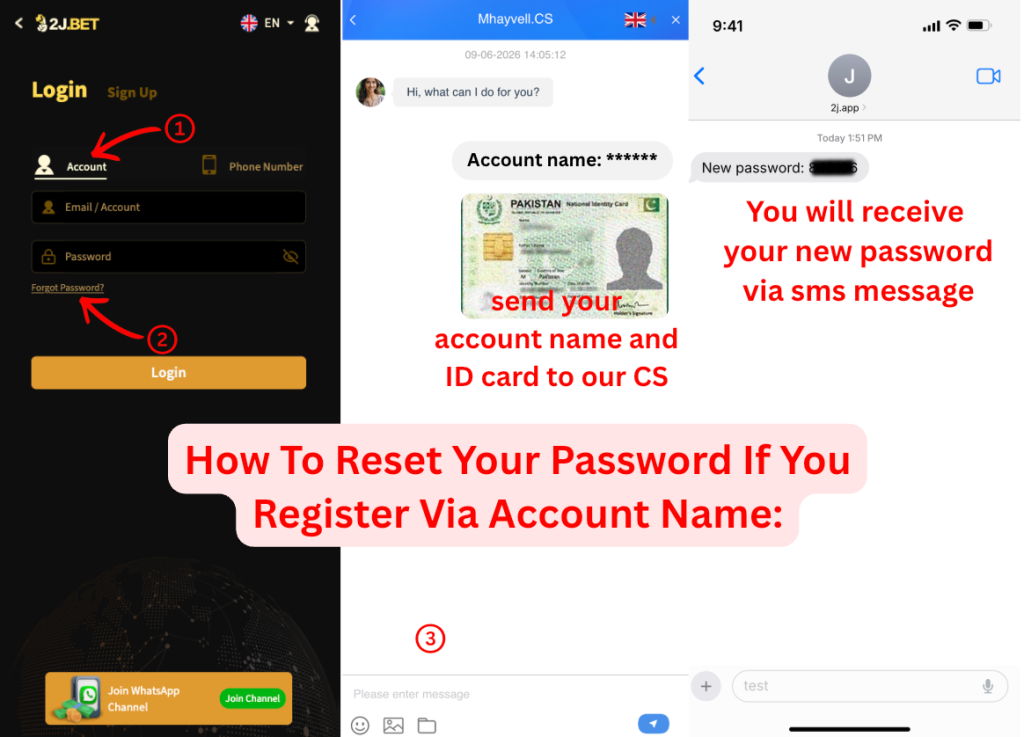
  • Open the 2J Bet.
  • On the login page, click “Account”.
  • Click “Forgot Password?”.
  • Contact Customer Support or reach out through Facebook Messenger and provide identification details that match your registered withdrawal account information.

After verification, you will receive an SMS containing a 6-digit code, which will serve as your new password.

Similar Posts

Leave a Reply

Your email address will not be published. Required fields are marked *